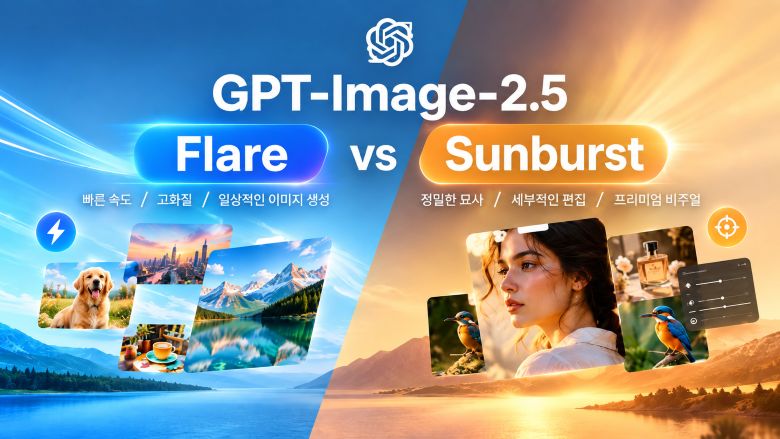

간단한 스케치만으로도 원하는 이미지를 만들 수 있는 AI 이미지 생성 기술이 주목받고 있습니다. 처음부터 완성도 높은 그림을 그릴 필요 없이 인물이나 사물의 형태, 위치, 전체적인 구도만 간단하게 표현한 뒤 원하는 스타일을 이미지 생성 프롬프트로 설명하면 AI가 색상, 조명, 질감, 디테일 등을 더해 하나의 이미지로 완성해 줍니다. 최근에는 ChatGPT Images 2.5의 Sketch 기능이 공개되면서 직접 그린 아이디어를 바탕으로 이미지를 만드는 방식도 더욱 관심을 받고 있는데요. 이번 글에서는 대표적인 스케치로 AI 사진 생성 프롬프트 10가지를 살펴보고, HitPaw Edimakor를 활용해 비슷한 결과물을 만드는 방법까지 알아보겠습니다.
파트 1. 스케치로 이미지 만들기란?
스케치로 이미지 만들기는 간단하게 그린 밑그림을 바탕으로 AI가 보다 완성도 높은 이미지를 생성하는 방법입니다. 스케치는 이미지의 기본적인 형태와 구도를 보여주는 역할을 하고, AI 이미지 프롬프트는 최종적으로 어떤 분위기와 스타일의 이미지로 완성할지 구체적으로 설명합니다.
처음부터 세밀한 그림을 그릴 필요는 없습니다. 사람의 위치나 건물의 형태, 제품의 윤곽, 장면의 기본적인 구도처럼 핵심적인 부분만 몇 개의 선으로 표현해도 충분합니다. 이후 AI가 스케치를 참고해 색상, 재질, 조명, 질감, 세부 요소와 원하는 스타일을 추가하면서 하나의 완성된 이미지로 만들어 줍니다.
이러한 방식은 최근 ChatGPT Images 2.5의 Sketch 기능이 소개되면서 더욱 주목받고 있습니다. 직접 간단한 그림을 그린 다음 이를 이미지 생성의 참고 자료로 활용할 수 있어, 방의 구조를 스케치하거나 의상의 형태를 간단하게 그리는 등 다양한 아이디어를 시각화하는 데 활용할 수 있습니다.
파트 2. 따라 해볼 만한 AI 이미지 생성 프롬프트 10가지
1. 인테리어 스케치로 실사풍 공간 만들기

Turn this rough interior sketch into a photorealistic Scandinavian living room. Preserve the original room layout, furniture placement, proportions, and perspective. Use light oak furniture, soft beige fabrics, natural greenery, large windows, warm daylight, realistic textures, and a clean, airy high-end interior photography style.
2. 패션 스케치로 화보 스타일 이미지 만들기
Transform this fashion sketch into a high-end editorial fashion photograph. Preserve the original pose, silhouette, proportions, and clothing structure. Use flowing black silk fabric with subtle metallic details, sophisticated styling, realistic fabric texture, dramatic studio lighting, a minimalist background, and a refined luxury fashion magazine aesthetic.
3. 캐릭터 낙서로 3D 캐릭터 만들기
Turn this character doodle into a polished 3D animated character. Preserve the original hairstyle, facial features, proportions, clothing, and pose. Add detailed hair, expressive eyes, realistic fabric textures, soft cinematic lighting, and a high-quality animated film aesthetic while keeping the character recognizable.
4. 제품 스케치로 광고용 이미지 만들기
Turn this rough product sketch into a premium commercial product render. Preserve the original shape, proportions, button placement, and overall structure. Use a matte white body with subtle metallic accents, realistic materials, soft studio lighting, natural shadows, and a clean neutral background suitable for a product advertisement.
5. 건축 스케치로 실사풍 건물 이미지 만들기
Transform this architectural sketch into a realistic visualization of a contemporary glass house. Preserve the original building structure, proportions, roofline, window placement, perspective, and landscape composition. Add concrete, glass, natural wood, lush trees, realistic reflections, warm interior lighting, and a cinematic late-afternoon atmosphere.
6. 아이 그림으로 동화책 일러스트 만들기
Turn this child's simple drawing into a charming storybook illustration. Preserve the original characters, objects, composition, and playful proportions. Add soft watercolor textures, warm sunlight, whimsical clouds, expressive details, and a magical children's book aesthetic while keeping the original drawing recognizable.
7. 자동차 스케치로 미래형 콘셉트카 만들기
Transform this rough car sketch into a realistic futuristic electric sports car. Preserve the original body shape, proportions, wheel placement, headlights, and overall silhouette. Add sleek metallic surfaces, refined aerodynamic details, realistic reflections, dramatic studio lighting, and a premium automotive concept presentation.
8. 타투 스케치로 완성도 높은 디자인 만들기
Transform this rough black-line tattoo sketch into a refined, colorful botanical tattoo design. Preserve the original branch, leaves, flowers, crescent moon, proportions, and composition. Add soft sage green and olive leaves, delicate lavender and dusty pink flowers, precise black ink outlines, subtle shading, fine botanical details, and gentle watercolor-like color transitions. Keep the design elegant, natural, and suitable for a professional contemporary tattoo.
9. 풍경 스케치로 영화 같은 장면 만들기
Turn this simple landscape doodle into a cinematic mountain landscape. Preserve the original placement of the mountains, river, house, and trees. Add realistic mountain textures, lush vegetation, atmospheric mist, soft clouds, warm sunrise light, natural depth, and detailed cinematic landscape photography.
10. 낙서로 초현실적인 실사 이미지 만들기
Turn this simple doodle into a surreal but photorealistic cinematic scene. Preserve the original composition and exaggerated proportions, including the giant cat and miniature city below. Add realistic fur, detailed architecture, tiny cars and pedestrians, atmospheric clouds, natural daylight, and cinematic photography while keeping the playful idea of the original doodle.
파트 3. HitPaw Edimakor로 스케치 아이디어를 AI 이미지로 만들기
ChatGPT 외에도 스케치를 활용해 AI 이미지 생성을 해보고 싶다면, HitPaw Edimakor의 AI 참조 이미지 기능을 활용해 보세요. 스케치와 같은 참고 이미지를 텍스트 프롬프트와 함께 사용해 원하는 이미지를 보다 구체적으로 생성할 수 있습니다.
단순히 텍스트로만 이미지를 설명하는 대신 스케치나 다른 참고 이미지를 업로드하면 AI가 유지해야 할 구도와 시각적 요소를 보다 정확하게 파악할 수 있습니다. 여기에 원하는 스타일, 색상, 재질, 분위기 등의 세부 정보를 AI 이미지 프롬프트로 입력하면 됩니다. 또한 Edimakor의 참조 이미지 기능은 여러 장의 이미지를 함께 업로드할 수 있어 하나의 스케치만으로 표현하기 어려운 시각적 아이디어도 보다 유연하게 발전시킬 수 있습니다.


주요 기능
- 참조 이미지를 활용한 이미지 생성 --- 기존 스케치나 이미지를 참고 자료로 활용해 새로운 AI 이미지를 생성할 수 있습니다.
- 여러 장의 참조 이미지 지원 --- 최대 10장의 이미지를 업로드해 생성에 필요한 시각적 정보를 추가할 수 있습니다.
- 프롬프트 기반 이미지 생성 --- 참조 이미지와 구체적인 텍스트 프롬프트를 함께 사용해 최종 이미지의 스타일과 세부 요소를 조정할 수 있습니다.
- 참조 이미지의 구도 반영 --- AI가 참조 이미지의 주요 요소와 구도를 고려해 새로운 이미지를 생성합니다.
- 다양한 AI 모델 지원 --- 참조 이미지 기능에서 Google Nano Banana, Nano Banana Pro, Seedream 등의 AI 모델을 사용할 수 있습니다.
- 다양한 스타일로 변환 --- 간단한 스케치를 바탕으로 실사 사진부터 일러스트까지 원하는 스타일을 프롬프트로 설명해 새로운 이미지로 만들 수 있습니다.
Edimakor로 스케치를 AI 이미지로 만드는 방법
1단계: 참조 이미지 열기
HitPaw Edimakor에서 AI 이미지 생성기를 열고 참조 이미지를 선택합니다. GPT Image 2.5, Nano Banana Pro, Seedream 5.0 Pro 등 사용할 수 있는 AI 모델을 선택하세요.
2단계: 스케치 업로드하기
준비한 스케치를 참조 이미지로 업로드합니다. 최대 10장의 이미지를 추가해 다양한 시각적 참고 자료를 제공할 수 있습니다.
3단계: 프롬프트 입력하기
스케치를 최종적으로 어떤 이미지로 만들고 싶은지 구체적으로 설명합니다. 스타일, 색상, 조명, 재질, 분위기 등 원하는 요소를 중심으로 이미지 생성 프롬프트를 작성해 보세요.
4단계: AI 이미지 생성하기
오른쪽 하단의 Generate 버튼을 클릭하면 Edimakor가 스케치와 프롬프트를 바탕으로 새로운 이미지를 생성합니다. 원하는 결과가 나오지 않았다면 프롬프트의 세부 내용을 수정한 뒤 다시 생성해 보세요.
결론
스케치로 이미지 만들기를 활용하면 완성된 그림이 없어도 간단한 아이디어만으로 원하는 이미지를 만들어볼 수 있습니다. 몇 개의 선으로 기본적인 구도와 형태를 표현하고, 여기에 잘 작성한 AI 이미지 프롬프트를 더하면 원하는 스타일, 색상, 조명, 재질, 분위기 등을 구체적으로 표현할 수 있습니다. 최근에는 ChatGPT Images 2.5와 같은 AI 이미지 생성 도구를 통해 직접 간단한 스케치를 그리고 이를 이미지 생성의 참고 자료로 활용하는 방식도 더욱 간편해졌습니다.
HitPaw Edimakor의 AI 참조 이미지 기능을 활용하면 스케치나 다른 이미지를 텍스트 프롬프트와 함께 사용해 비슷한 방식으로 AI 그림 생성을 할 수 있습니다. 방 인테리어 콘셉트부터 패션 디자인, 제품 아이디어, 캐릭터, 창의적인 장면까지 다양한 아이디어를 간단한 스케치로 시작한 뒤 AI를 활용해 보다 완성도 높은 이미지로 발전시켜 보세요.
댓글 남기기
게시물에 대한 리뷰 작성하세요.